For iPhone · in testing

The couple's diary, private and encrypted.

Cuplex is the diary of your intimate life: log your moments, rate them in secret and reveal them together, play as a couple and follow the cycle in the same calendar. Everything stays on your iPhones and in your own iCloud: Cuplex has no servers of its own and doesn't track you.

Adults only. Requires an iPhone with iOS 18 or later.

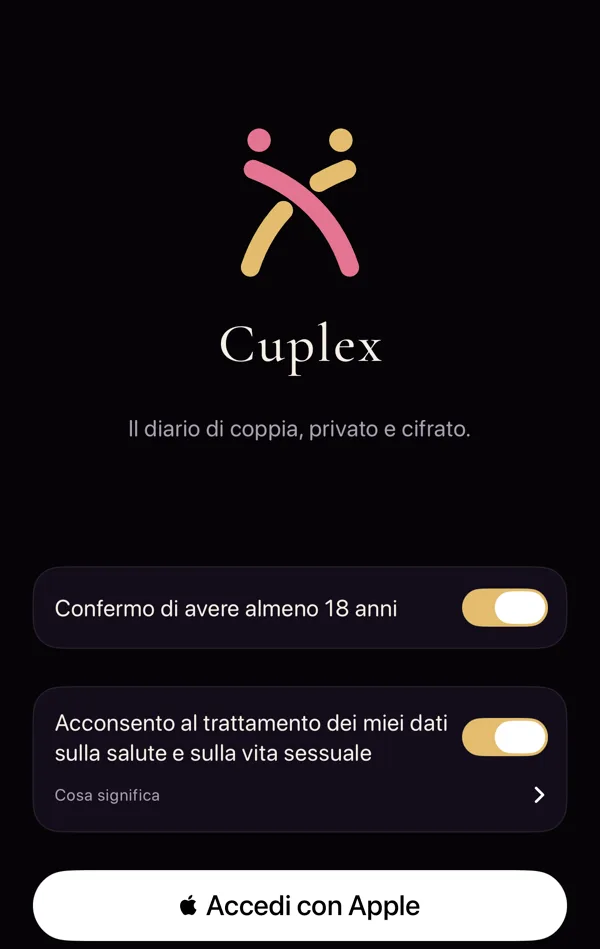
The Cuplex welcome screen: the logo, the line “The couple's diary, private and encrypted”, the 18+ confirmation, the consent to processing health data and the Sign in with Apple button.

Features

Made for two

Each of you has your own iPhone and your own diary. Once you link up as a couple, your moments become shared and the game begins. The screenshots below come from the app (in Italian) with sample data.

Your log of moments

Log a new moment in five quick steps, even days later.

  • Date, duration and type (oral, vaginal, anal, or more than one), foreplay and toys.
  • Protection and method: condom, pill, IUD, ring, patch, implant and more.
  • Place, notes and tags: write #word in a note and it becomes a tag.
  • A calendar with one dot per moment, gold for yours and pink for your partner's, and statistics by day, week, month and year.
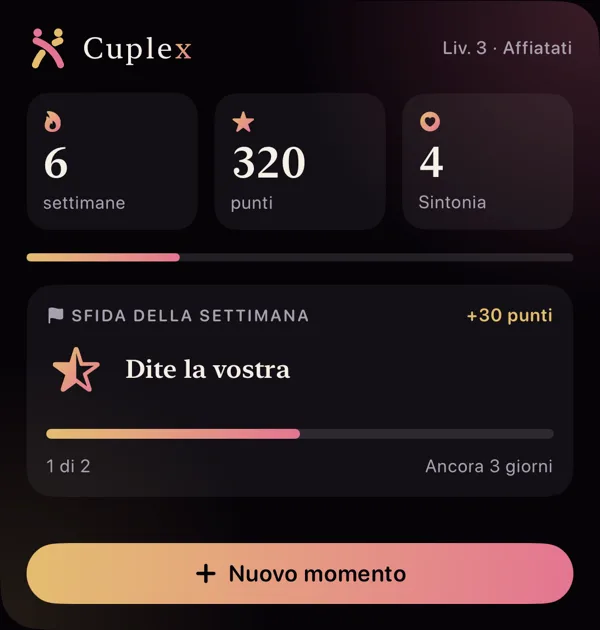
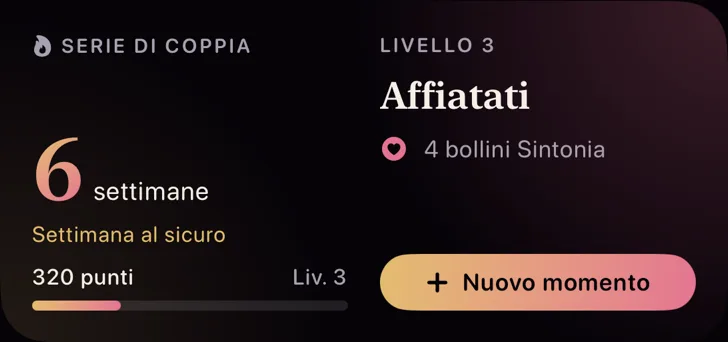
The large Cuplex widget: a 6-week streak, 320 points, 4 Harmony seals, this week's challenge at 1 of 2 and the New moment button.

Private ratings, until your partner rates too

After each moment, each of you gives a rating from 1 to 5 and picks a mood. Your partner only sees that you've rated. Once you both have, the ratings are revealed to both of you at once: nobody is swayed.

When the ratings match, the Harmony seal lights up.

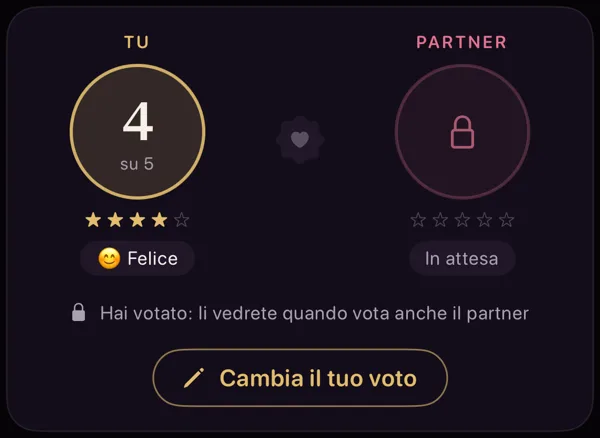
Rating pending: your rating is 4 out of 5 with a Happy mood; your partner's is locked, with the message that you'll both see them once your partner rates too.
Before: your partner's rating stays locked.
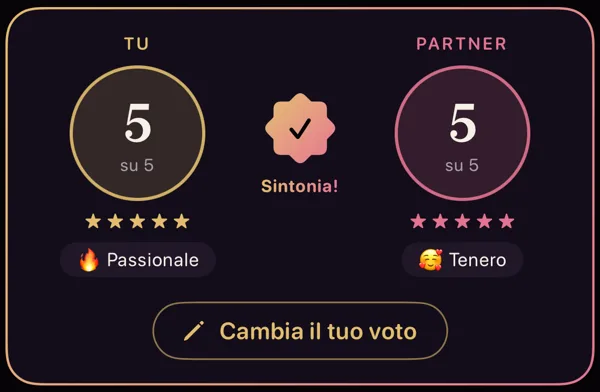
Ratings revealed: 5 out of 5 for both, Passionate and Tender moods, and the Harmony seal in the middle.
After: matching ratings, Harmony!

The couple's game

Points, levels and badges are worked out from your moments, with no public leaderboards: it's a game between the two of you.

  • Points for every moment, for protection, for both rating and for Harmony.
  • Seven levels, from First Spark to Legend, and a streak of weeks in a row.
  • A new challenge every week, the same on both phones.
  • Twenty badges in six groups, plus a badge for every month, and a recap at the start of each month.
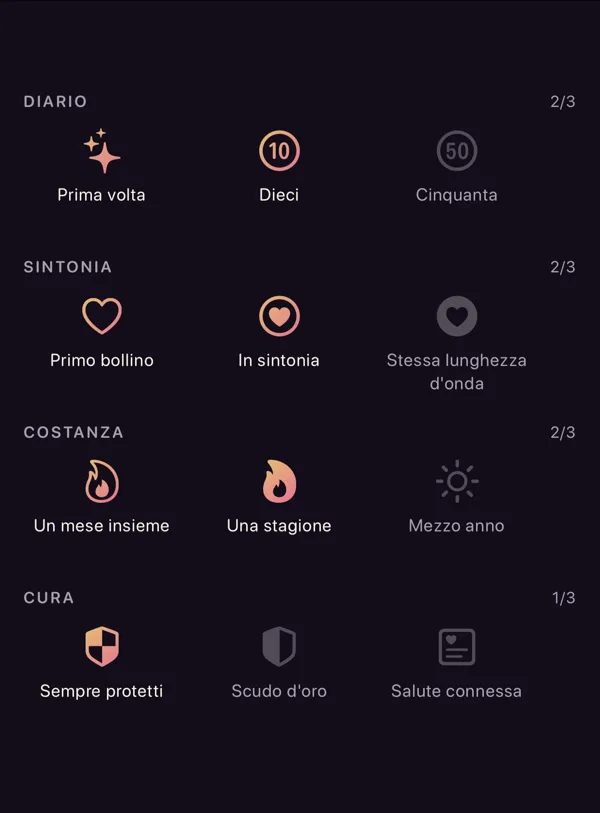
Badge rows for Diary, Harmony, Consistency and Care, with progress on the ones still locked.

Your monthly recap

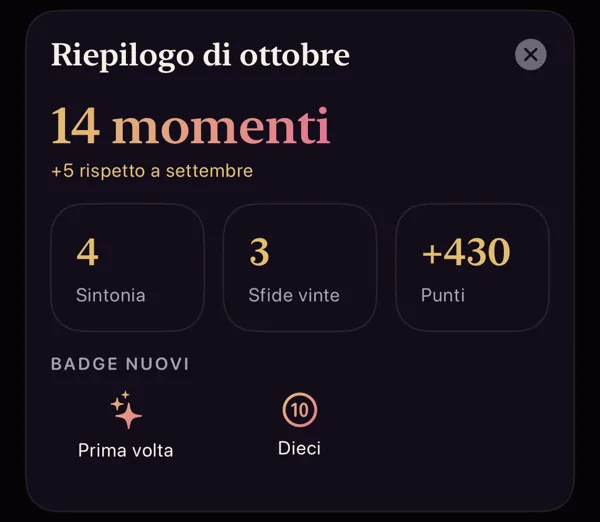
In the first days of the month Cuplex shows how the last one went: moments compared with the month before, times in Harmony, challenges won, points and new badges.

October recap: 14 moments, 5 more than September, 4 Harmony, 3 challenges won and 430 points.

The cycle, day by day

At the top of the cycle tab: the day of the cycle, the estimated phase with a plain, non-medical explanation, and how long until the next cycle. Start and end take one tap, even after the fact, and can be corrected.

The cycle in a shared calendar

Start and end of each cycle, predictions and the fertile window, with a deeper gold on the most fertile days. You decide what your partner sees: everything, predictions only, or nothing.

Your partner's cycle, read-only

If you don't track a cycle, you see your partner's in read-only mode: day and phase, a gentle tip for the phase (written by us, not medical advice), the next cycle and a calendar of the next three cycles. The person who tracks it can switch the tips off; if you have no cycle, turn off I track my cycle.

Apple Health

With your permission Cuplex writes moments and cycles to Health and imports the history you already have: sexual activity and menstrual flow.

Link up with a QR code

Invite your partner by showing a QR code to scan with their iPhone. Choose which past moments to share; unlink whenever you like and decide what to keep.

Discreet reminders and alerts

Reminders for tests and check-ups, a fertile window alert, cycle alerts (period coming, period late, expected ovulation) and notifications when your partner updates the diary, with generic text that gives nothing away.

The fertile window is an estimate: Cuplex is not a contraceptive method or a medical device.

Privacy

Your data stays yours

Cuplex exists to keep something very personal safe. That's why we have no server collecting your data.

No servers of ours

The diary lives on your iPhone and syncs to your personal iCloud. With your partner it travels through iCloud sharing, not through us.

Encrypted

On the phone the store can't be read while the iPhone is locked. In iCloud every field uses iCloud encryption, with keys that neither Apple nor Cuplex can read.

Face ID every time

The app only opens with Face ID or your passcode and hides itself in the app switcher. There's also a more discreet icon.

No name, no ads

Sign in with Apple without sharing your name or email. No ads, no analytics, no third-party SDKs.

You can export everything as JSON or delete everything from Cuplex and iCloud at any time. Details are in the privacy policy.

Widgets, Control Center and Siri

Four widgets for the Home Screen and Lock Screen: new moment, couple streak, next event and current challenge. A “New moment” button in Control Center, and Siri shortcuts.

Widgets show only numbers and neutral text, never dates, types or ratings, and can be turned off. Tapping them still asks for Face ID.

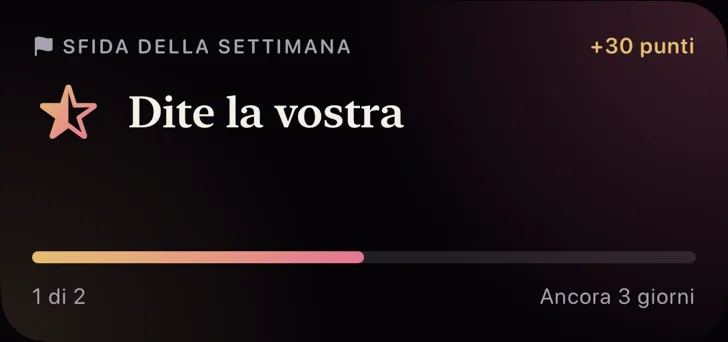
The medium Couple streak widget: 6 weeks, week secured, 320 points, level 3, 4 Harmony seals and the New moment button. The medium Challenge of the week widget: 30 points up for grabs, 1 of 2 done, 3 days left.

Beta on TestFlight

We're looking for couples to try it

Cuplex is being tested with a few couples. If you'd like to try it and tell us what you think:

  1. You need two iPhones with iOS 18 or later, one each, each with its own Apple ID and iCloud turned on. Both of you must be adults.
  2. Install TestFlight from the App Store and join the test: https://testflight.apple.com/join/Jm383TG5. Or write to us: hello@cuplex.app.
  3. Open Cuplex, sign in with Apple and, from Couple → Invite your partner, link the two phones with the QR code.

During the test the app may change often. For problems or ideas: support and contact.